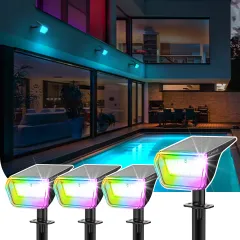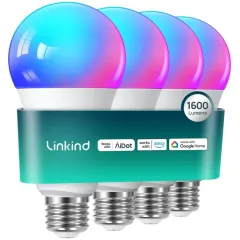
AiDot Linkind RGBWW Smart LED Solar Wall Lantern with Motion Sensor
You May Also Like
key features
AiDot Linkind RGBWW Smart LED Solar Wall Lantern


Motion Sensor Mode


Dusk to Dawn Mode


How to Connect
Step 1: Power on the wall light, open AiDot APP and sign in. Keep your phone and wall lights no more than 90ft (in open area) away, and make sure your phone's bluetooth is turned on.
Step 2: Paired the lantern. Tap "+" on the top right of the APP, choose "Add Device", then tap the "Nearby Device".
Step 3: Select the "Solar Wall Light_*" and wait for connection.
How to Reset the Wall Light
Step 1: Ensure that the wall lantern is full of charge, and keep your phone and floodlight no more than 131ft (in open area) away. Make sure your phone's bluetooth is turned on.
Step 2: Long press the switch 10s until the lantern runs a color shift.
Step 3: Sign in to AiDot app and tap "Nearby" on "Add Devices" page. Find the solar wall light, then connect it normally.

APP Control


Button Control


Specification
| Package Dimensions | 10.4 x 7.1 x 5.4 inches |
| Item Weight | 1.6 pounds |
| Material | ABS Durable Plastic |
| Light fixture form | Wall |
| Control Method | App |
| Batteries | 1 Lithium Ion batteries required. (included) |
| Plug Format | A- US style |
| Switch Installation Type | Wall Mount |
| Shade Material | Acrylonitrile Butadiene Styrene |
Reviews 22
Write Your Own Review
Customer Reviews